
Commission
Configuration-dependent. The available functionality and parameters depend on the product configuration.
Purpose
Section titled “Purpose”Commission is used to configure commissions and other tariff charges through rules.
Panel address: https://flexy-commission-admin.banking.reactivepay.com
How Commission Is Displayed in the Personal Cabinet
Section titled “How Commission Is Displayed in the Personal Cabinet”In Exchange, the commission is displayed as:
Summary → Processing fee;Commission valuebelow the form.
In the transaction history, the commission may be displayed as a
separate Processing Cost/Commission line.
Panel Structure
Section titled “Panel Structure”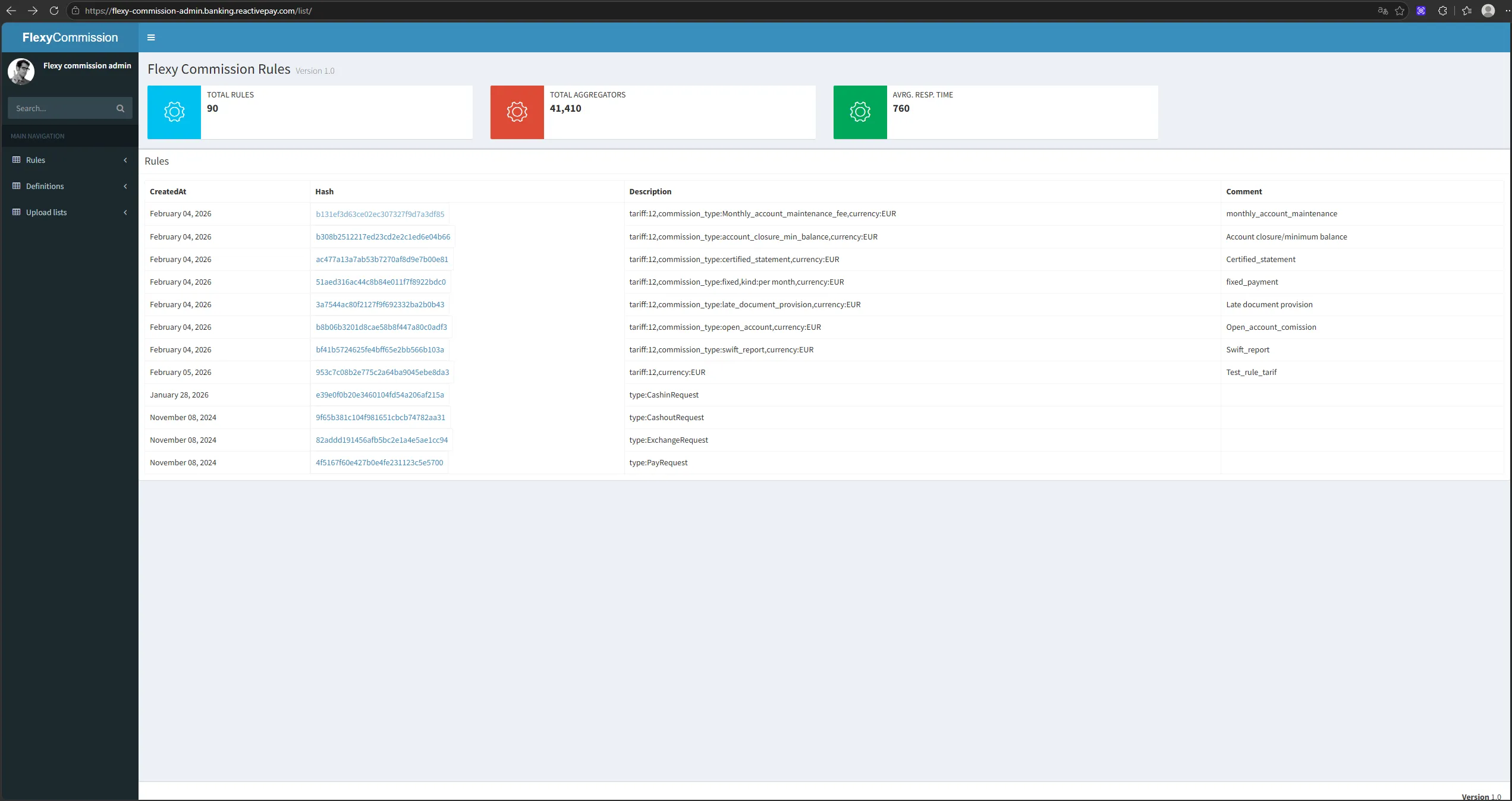
Main sections:
Rules— list of rules;Definitions— definitions and configurations;Upload lists— upload lists used by rules.
A rule can contain applicability conditions and charging parameters.
The rule interface includes conditions related to:
- operation type;
- tariff;
- currency;
- other parameters provided by the configuration.
The test interface includes, among others, rules for:
CashinRequest;CashoutRequest;ExchangeRequest;PayRequest;Monthly account maintenance;- account closure / minimum balance;
Certified statement;Fixed payment;Late document provision;Open account;Swift report.
This means that the Commission mechanism is used not only for transaction fees but also for individual tariff services.
Creating a Rule
Section titled “Creating a Rule”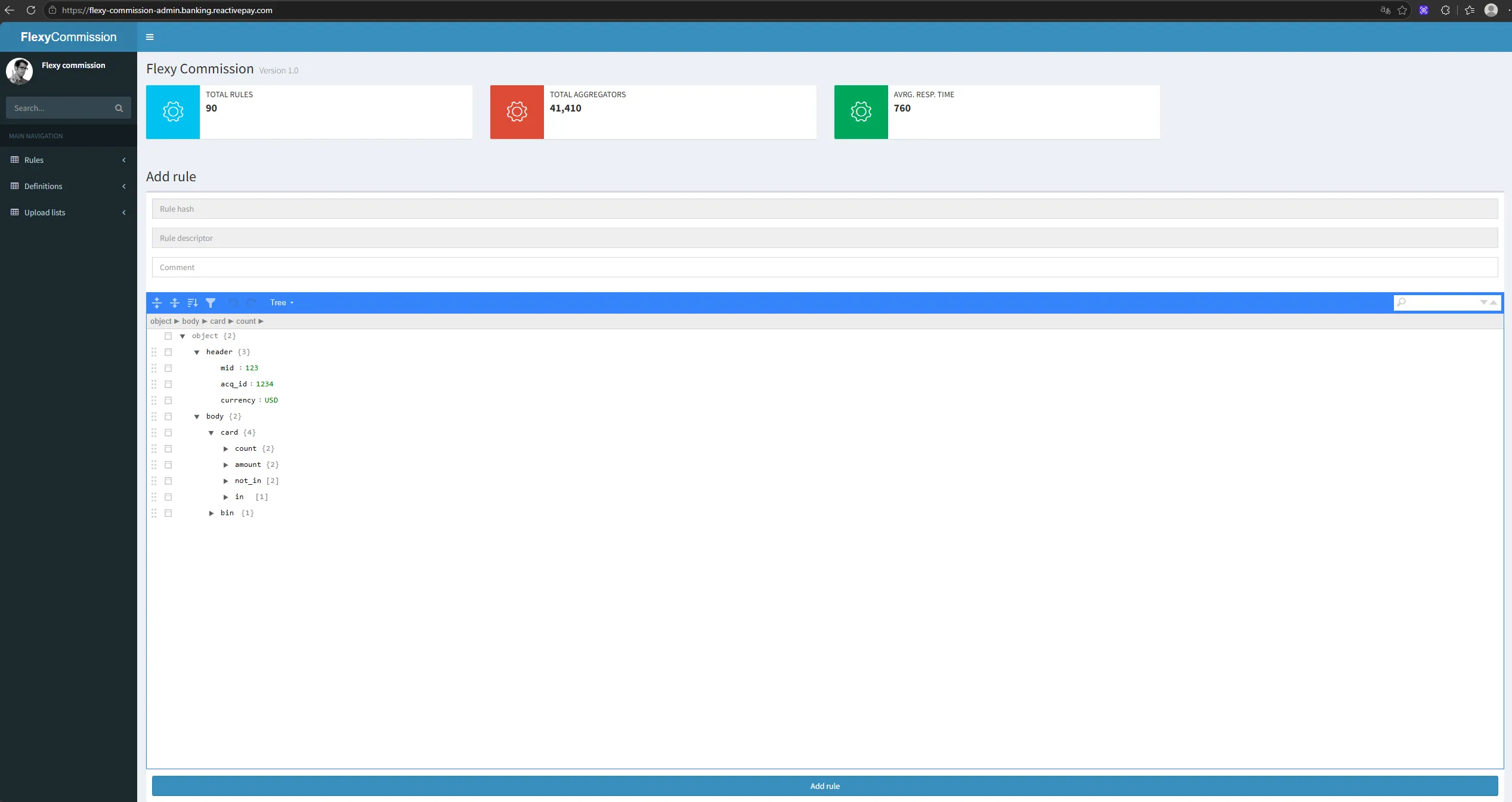
- In
Rules, clickAdd rule. - Fill in
Rule hash,Rule descriptor, andComment. - Specify the rule parameters in the editor.
- Click
Add rule.
Calculation Structure
Section titled “Calculation Structure”The JSON configuration includes, among others, the following blocks:
self— platform commission;provider— provider commission.
Parameters:
rate— percentage rate;min— minimum commission value;fee— fixed value.
Example
Section titled “Example”{ "header": { "type": "CashinRequest" }, "body": { "self": { "rate": "5", "min": "0" }, "provider": { "rate": "0", "fee": "0" } }}In this example, the platform commission is set to 5%, the minimum value is 0, and the provider commission parameters are both 0.