
Core
Configuration-dependent. The available functionality and parameters depend on the product configuration.
Purpose
Section titled “Purpose”Core is the administrative panel for managing client profiles, requests, accounts, operations, and checks.
Address: https://core.banking.reactivepay.com/manage
Account Requests
Section titled “Account Requests”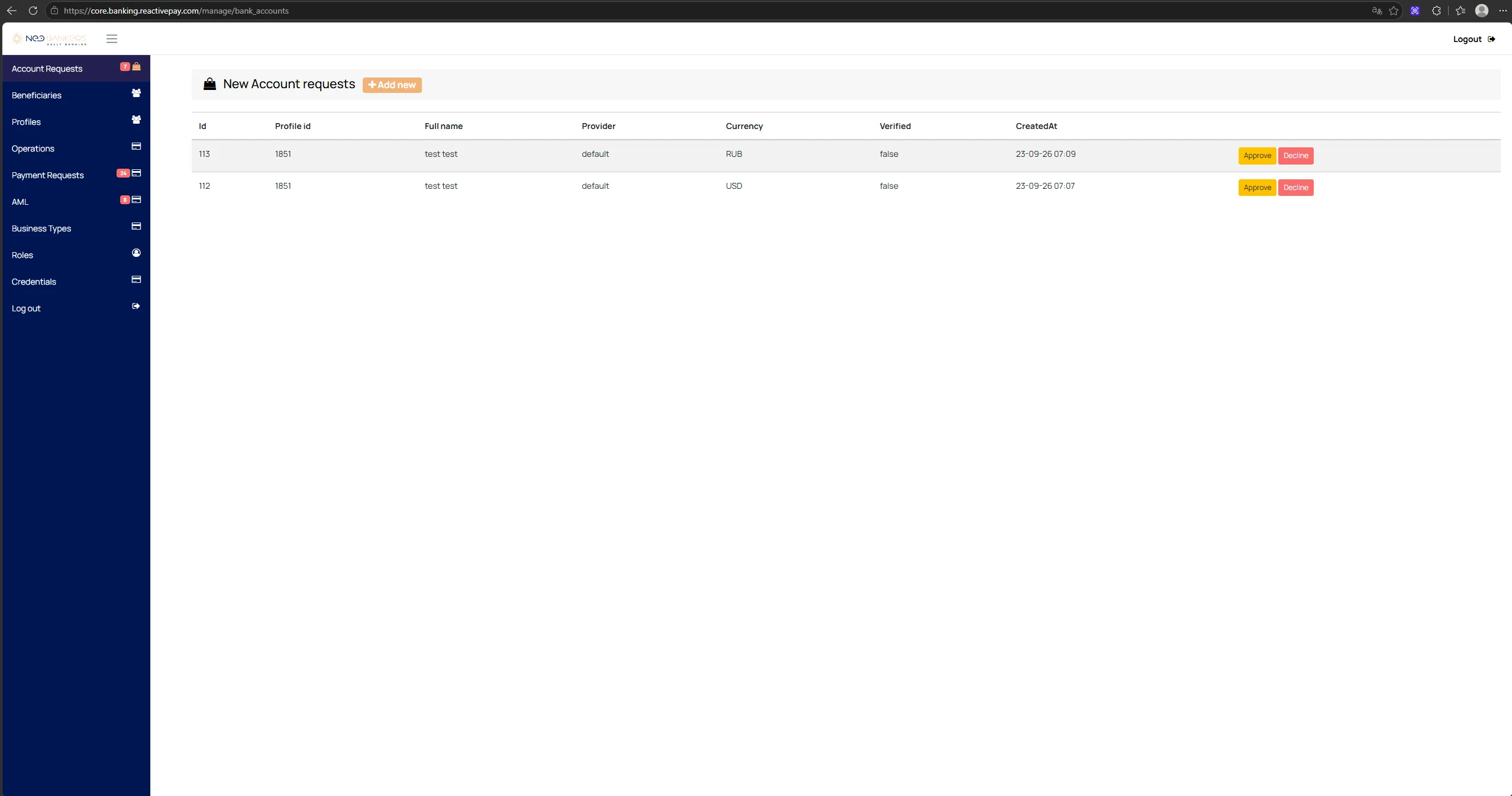
Account Requests is used to process requests to open accounts.
Workflow:
- The client creates a request in the personal cabinet.
- The request appears in
Core → Account Requests. - The operator reviews the request data.
ApproveandDeclineactions are available.- After approval, the account becomes available to the client.
The list includes, among other fields, Id, Profile id, Full name,
Provider, Currency, Verified, and CreatedAt.
Beneficiaries
Section titled “Beneficiaries”Beneficiaries is used to manage recipients.
The list displays:
Name;Type;Identity Number;Company name;Email;Phone;Account Number.
Profiles
Section titled “Profiles”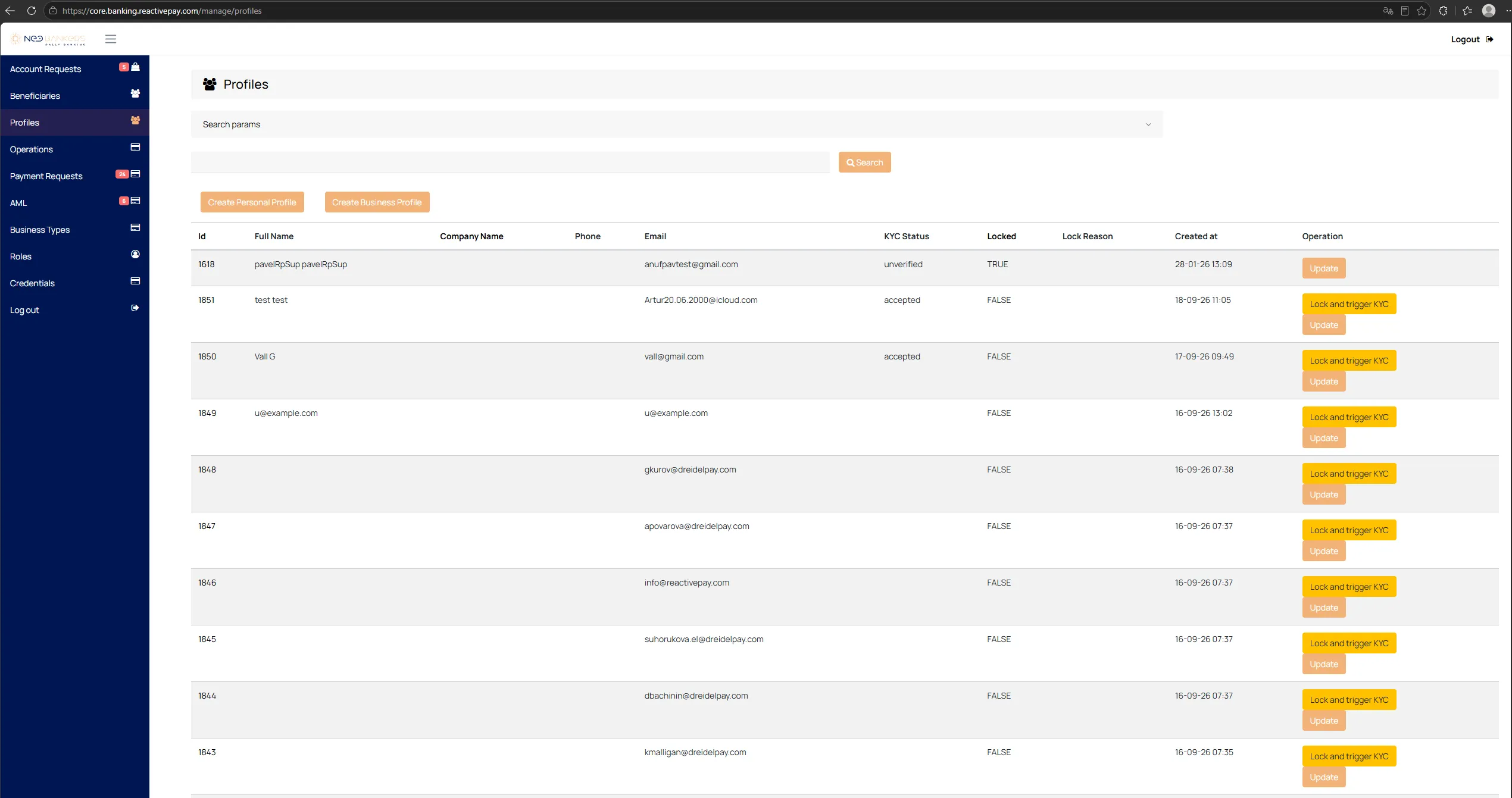
Profiles is used to manage client profiles — individuals and
companies.
The list displays:
Id;Full Name;Company Name;Phone;Email;KYC Status;Locked;Lock Reason;Created at.
Available actions include Update, profile blocking, and starting KYC.
Operations
Section titled “Operations”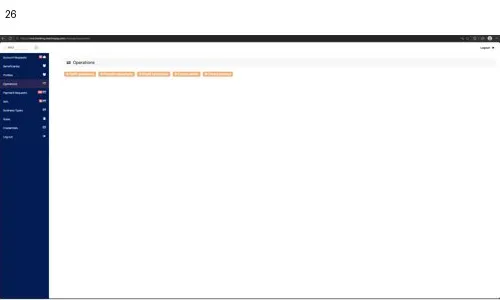
Operations groups tools for different types of operations.
The interface provides:
Tariff operations;Periodic operations;Client operations;Create cashin;Create cashout.
Tariff Operations
Section titled “Tariff Operations”This section is used to work with tariff operations. Specific fields and workflows depend on the selected operation type.
Periodic Operations
Section titled “Periodic Operations”This section is used to work with periodic operations.
Client Operations
Section titled “Client Operations”This section is used to work with client operations.
Create Cash-in
Section titled “Create Cash-in”The cash-in creation form contains:
Recipient profile id;Sender name;To account;Amount;Date / Time;Description.
Action: Add Cashin.
Create Cash-out
Section titled “Create Cash-out”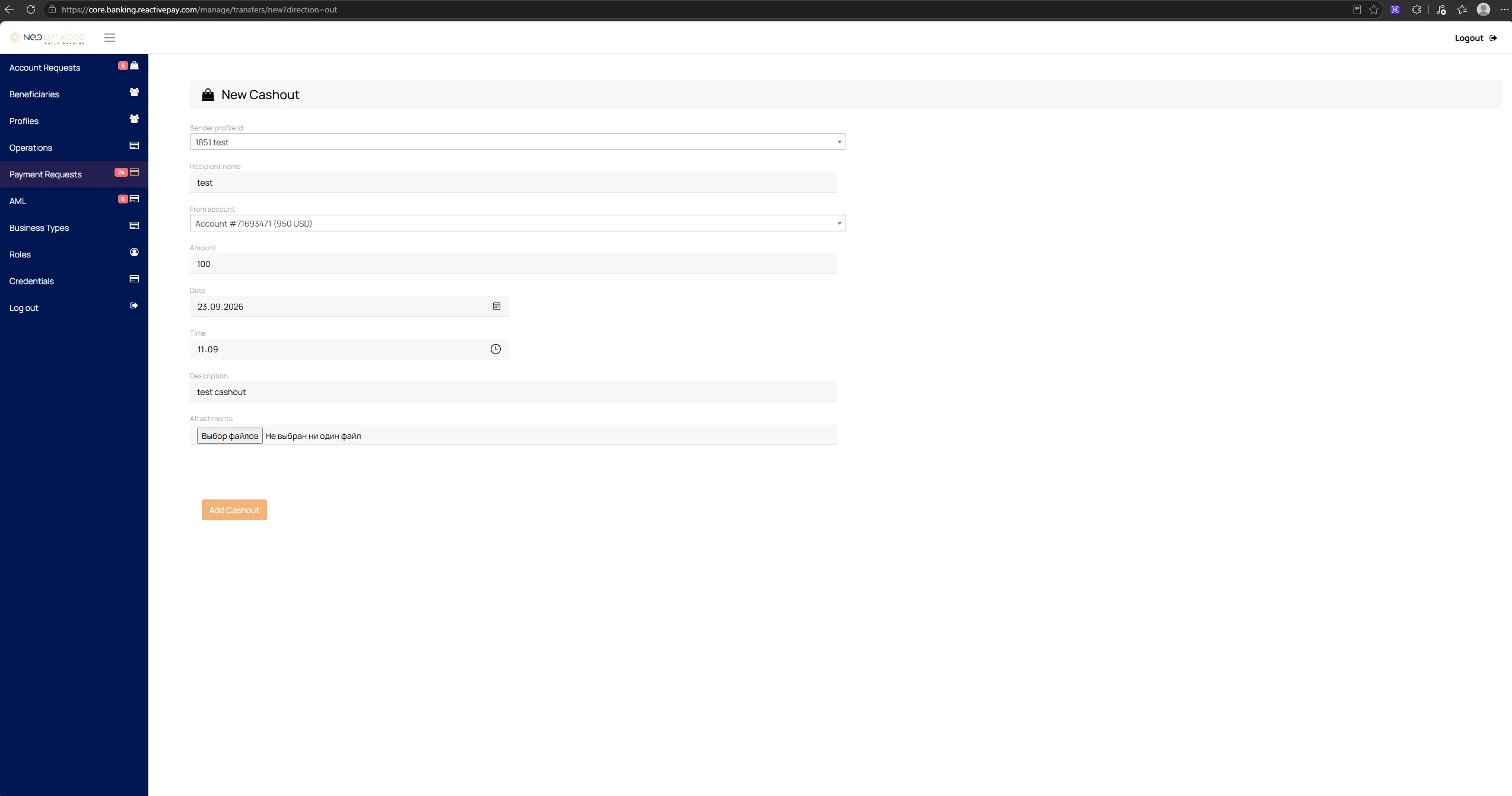
The cash-out creation form contains:
Sender profile id;Recipient name;From account;Amount;Date / Time;Description;Attachments.
Action: Add Cashout.
Payment Requests
Section titled “Payment Requests”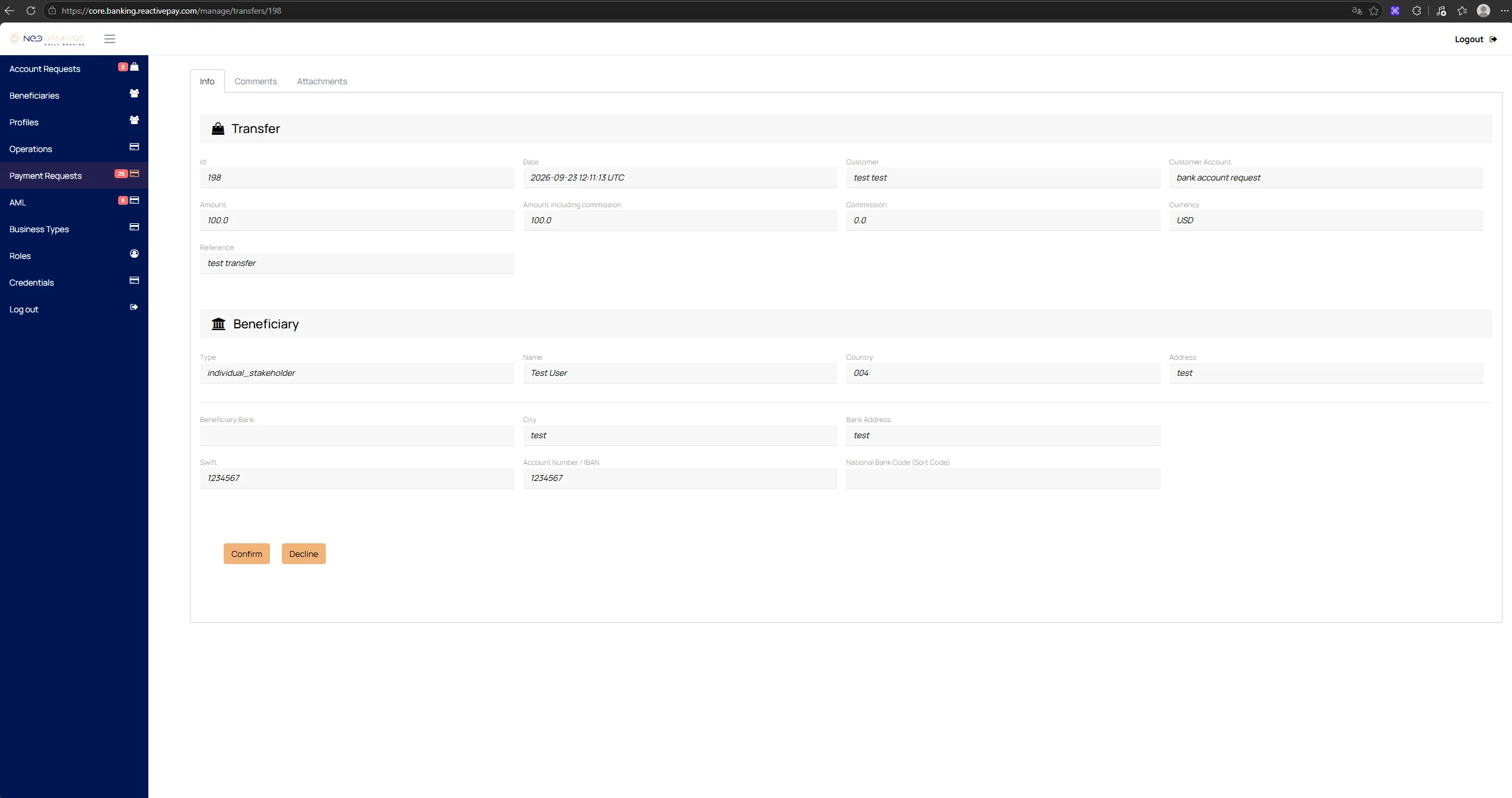
Payment Requests is used to process transfers created by clients in
the Transfer section.
The following actions are available for a request:
Confirm— confirm the request;Decline— decline the request.
AML in Core
Section titled “AML in Core”Core provides separate sections for checks and alerts:
Payments with alerts;Profiles AML;KYC Verifications;New Account requests.
Business Types
Section titled “Business Types”Business Types is used to manage business types.
The list displays Id, Type, Tariff, and Action.
The Add type action is available.
Roles is used to manage user roles.
The interface provides tools related to roles, Wallet subusers, and
Core users.
The main list fields are ID, Name, Kind, and Action.
Credentials and Bank Account Journal
Section titled “Credentials and Bank Account Journal”Credentials is used to manage bank account credentials.
The interface displays:
ID;Token with Currency;Reference Code.
The available actions are Edit, Details, and Show Journal.
Show Journal opens the journal associated with the corresponding bank
details record.