
Rate
Configuration-dependent. The available functionality and parameters depend on the product configuration.
Purpose
Section titled “Purpose”Rate is responsible for configuring the exchange rates used for currency exchange.
Panel address: https://rate-admin.banking.reactivepay.com
Exchange Rate Display in the Personal Cabinet
Section titled “Exchange Rate Display in the Personal Cabinet”In the Exchange section, the client sees the rate in the following
interface elements:
Summary → Exchange rate;Current ratebelow the exchange form.
The operation calculation uses:
Amount— exchange amount;Target amount— amount in the target currency;Total spend— amount debited;Total receive— amount credited.
Rate Settings
Section titled “Rate Settings”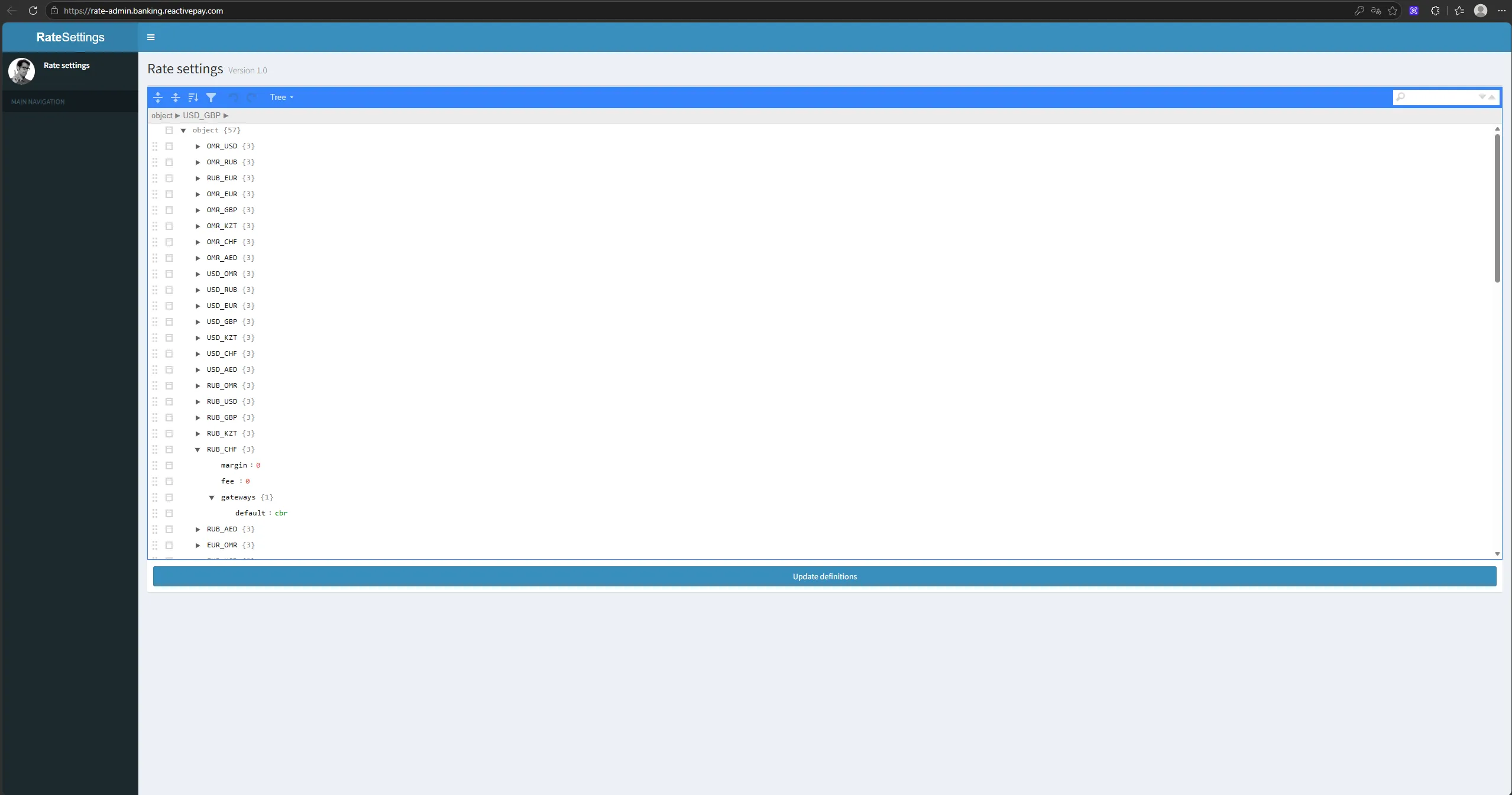
Rate Settings defines the following parameters for a currency pair:
margin— margin;fee— fee;gateways— rate source.
The interface contains multiple currency pairs, and the settings can be changed for the selected pair.
In one of the shown examples, cbr is specified in gateways.
Changing Settings
Section titled “Changing Settings”- Open
Rate Settings. - Select the required currency pair.
- Change
margin,fee, orgateways. - Click
Update definitions.